Every AI session starts from zero.
You re-explain context. You lose decisions from last week. Handoff is a raw transcript dump nobody reads.
Footprint records what happened, keeps the latest trustworthy context, and lets you preserve high-value conversations as encrypted evidence.
You re-explain context. You lose decisions from last week. Handoff is a raw transcript dump nobody reads.
The next session knows what still matters, which threads are separate, and what was already decided.
Footprint is easier to understand from the screens than from a command list.
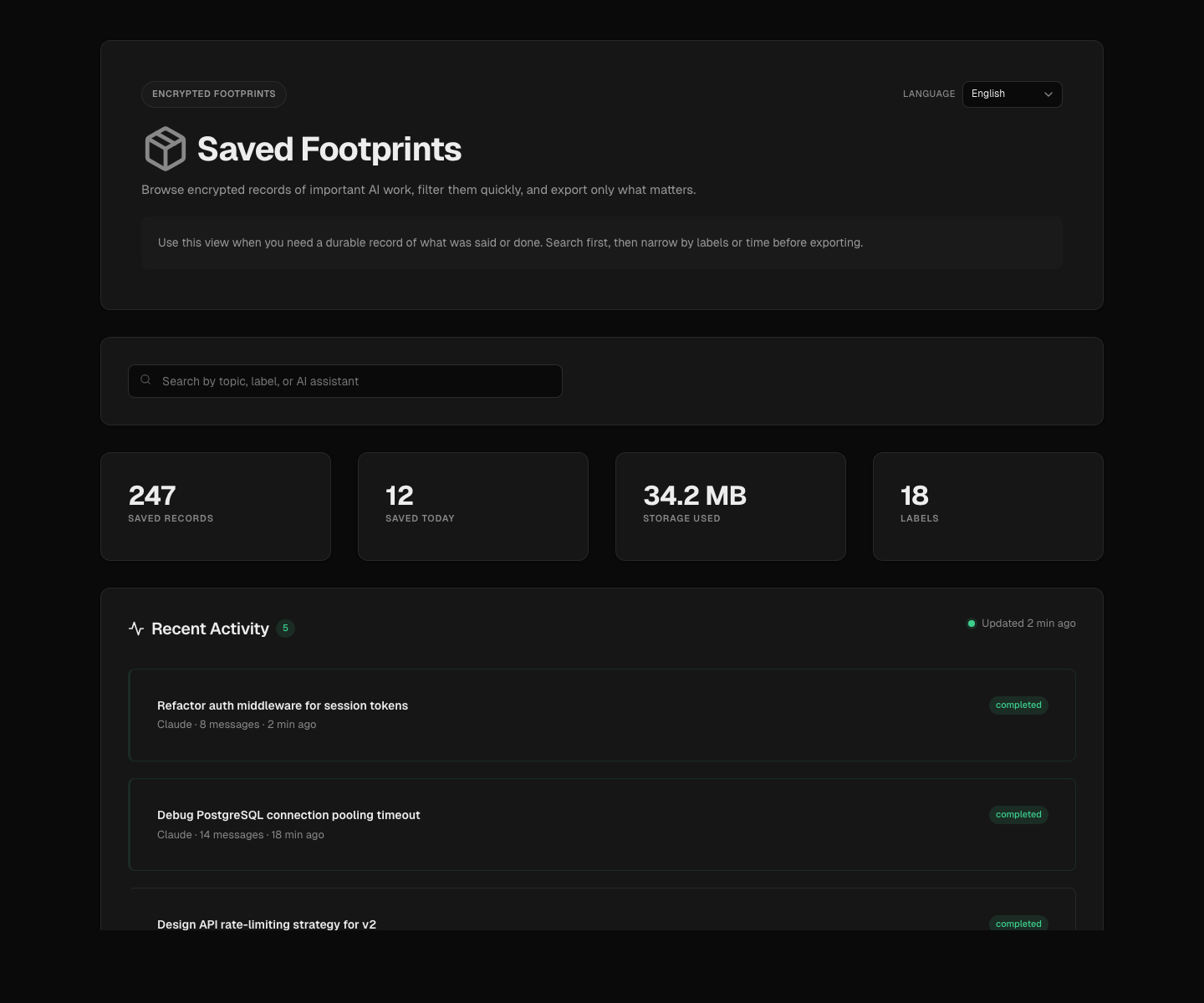
Stats, recent activity, timeline, and label filters — one view to find the right record without guessing.
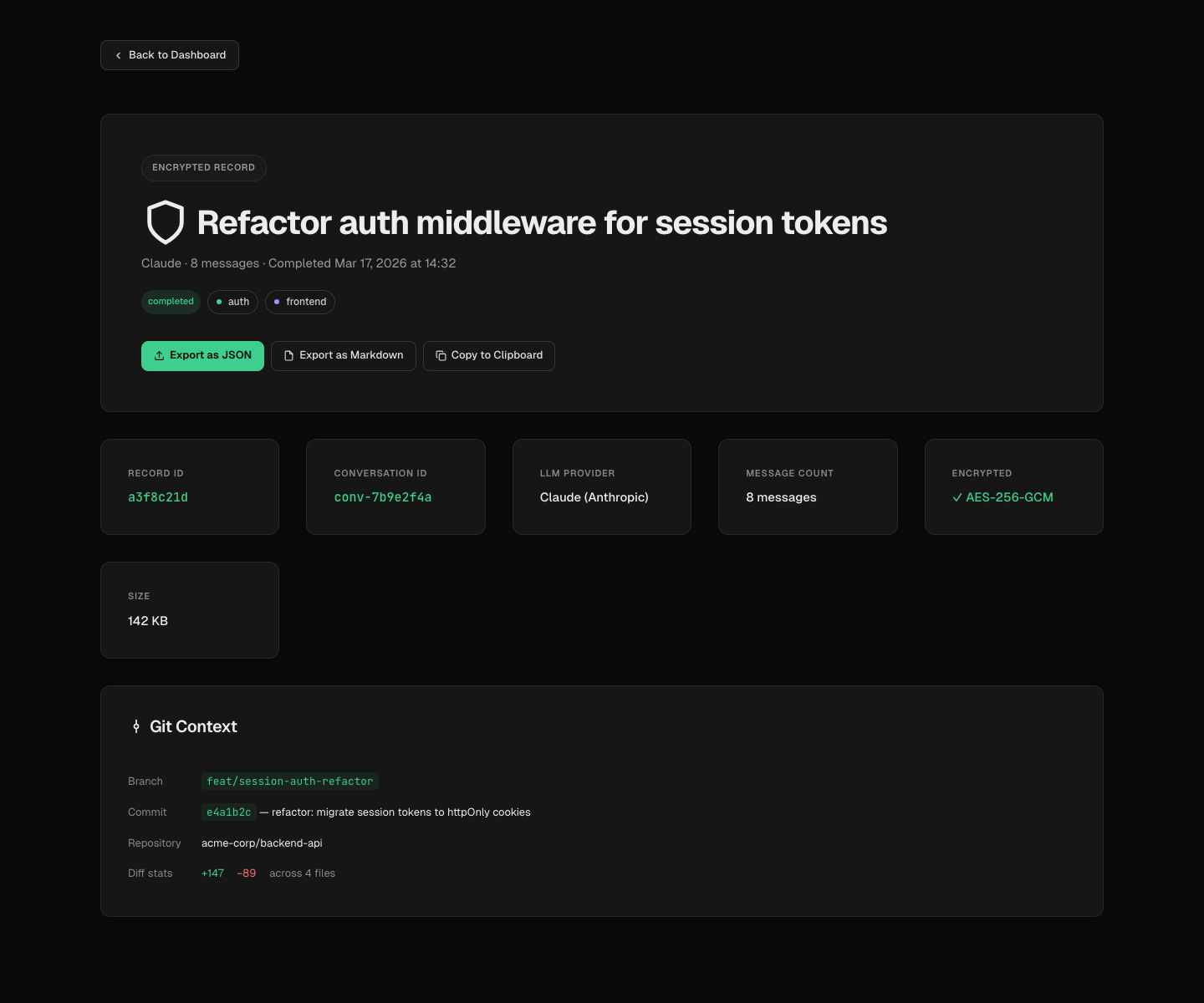
Start from a readable summary. Drill into Git context, conversation timeline, and content preview.
Not just chat history. Raw work in, usable summaries out, with human confirmation at every step.
Transcript, commands, tests, file changes, and git activity from claude, gemini, and codex sessions.
Summaries, decisions, recurring trends. The next session starts with the right context instead of guesswork.
Suggest related context conservatively, then let you confirm, reject, move, split, or merge.
Export session bundles with readable summaries, transcript snapshots, and recurring issue context.
Preserve selected conversations with AES encryption, verification, and separate export flow.
Data stays on your machine. No seats, no usage pricing, no hosted-memory lock-in. MIT open source.
Try without installing, or install once for everyday use.
# quick try
npx @pcircle/footprint setup
npx @pcircle/footprint demo --open

# install for everyday use
npm install -g @pcircle/footprint
footprint setup
footprint demo --open

# record live work
footprint run claude --prepare-context -- <args...>Use npx for a quick try, or install globally for daily use. Requires Node.js 22+.
Open the local product and browse the dashboard and detail view before changing your workflow.
Record AI sessions. Footprint suggests the most likely context thread before you start.
Use the shortest route to the information you need.
Updates, deep dives, and release notes. Coming soon.